
Stop chasing receipts. Start controlling expenses in real time.
Every reimbursement claim costs your finance team 12 minutes. Every lost receipt is a GST deduction you won't recover. Budgetly replaces the manual grind with pre-approved cards, instant receipt capture, and automated Xero sync.
Get your team off reimbursements in 14 days ➜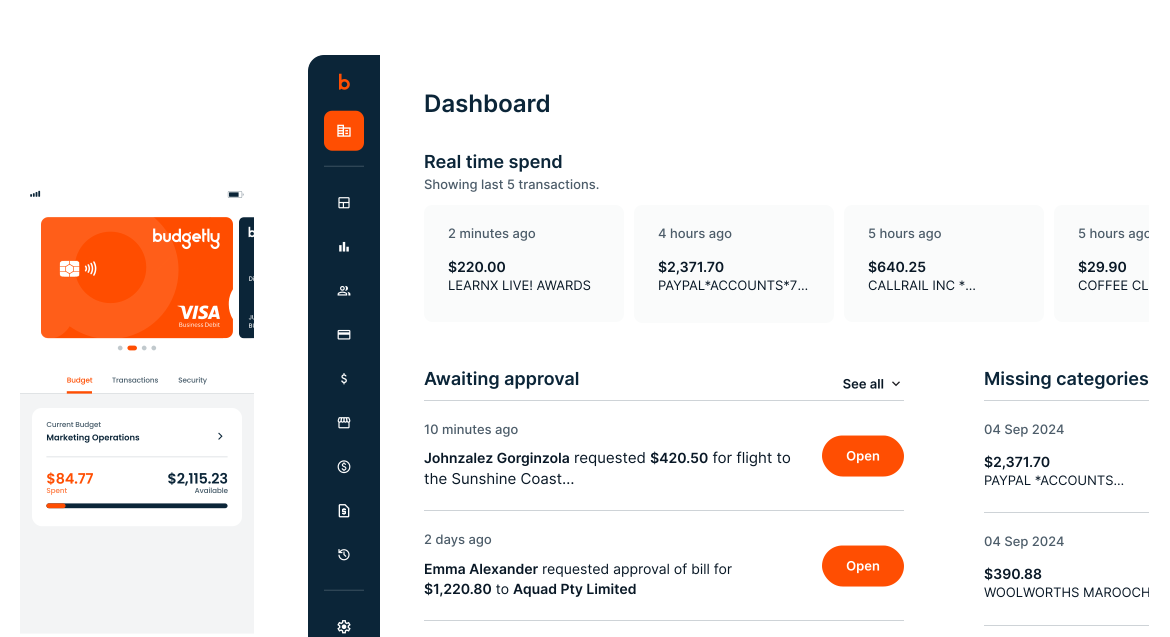
Australia's favourite.
Trusted by organisations managing distributed teams and multiple budgets.

































The old expense process is broken. Here's what replaces it.
Staff pay out of pocket, submit claims weeks later, and chase receipts at month-end. Finance reconstructs reality from fragments. Budgetly eliminates this entire workflow. Every employee gets a pre-approved card. Every receipt is captured at point of sale. Every transaction is coded and synced to Xero automatically. Bookkeeper AI codes transactions with >95% accuracy from day one, and gets sharper with every override. No other expense platform does this.
What finance teams see after switching
Every month you wait, you lose GST deductions on missing receipts and burn finance hours on reconciliation.
Pre-approved cards replace reimbursements entirely
Every employee gets their own Budgetly Visa card with built-in spending limits. No more out-of-pocket claims. No more shared cards with no attribution. Finance controls who can spend, how much, and where.
“Budgetly saves me 2 hours a day in accounting time.” — Carol Randall, Director, Your Day Support Services
See how cards work ➜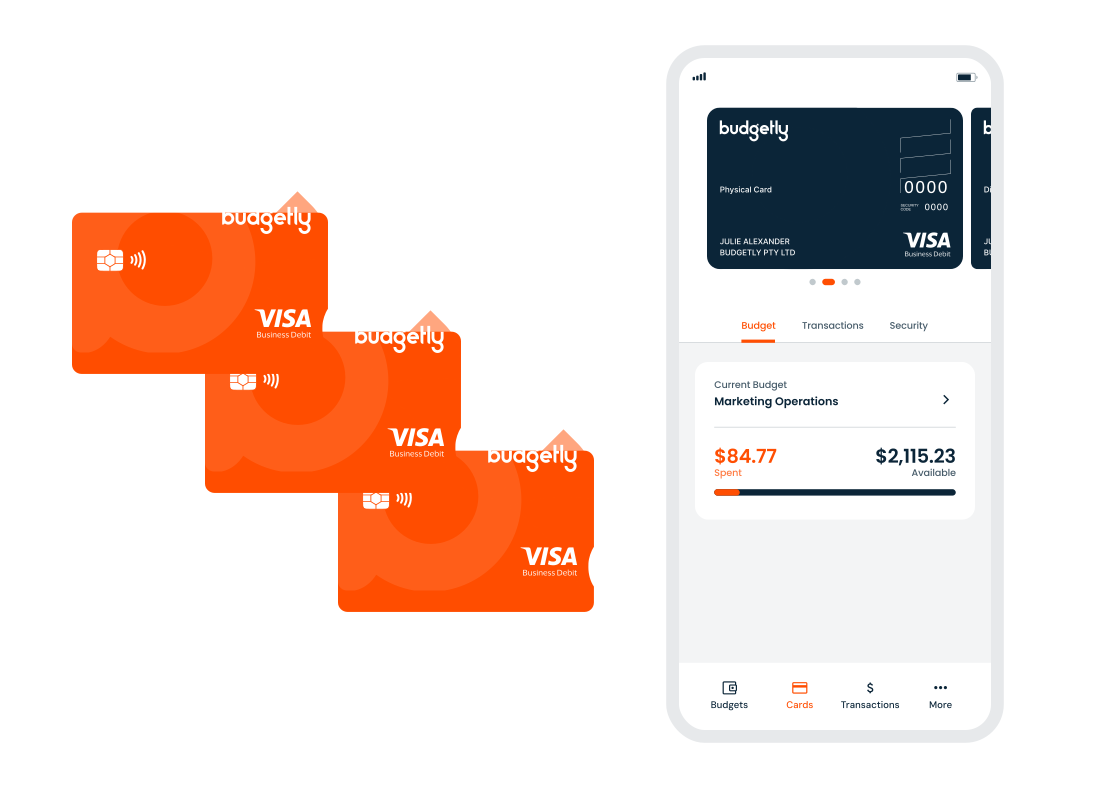
Receipts captured at point of sale, not chased at month-end
The Budgetly app prompts cardholders to snap a photo of the receipt immediately. Bookkeeper AI reads the supplier, amount, and GST, then matches it to the transaction. No more end-of-month email chains asking ‘where’s the receipt for this $47 charge?’
See Bookkeeper AI ➜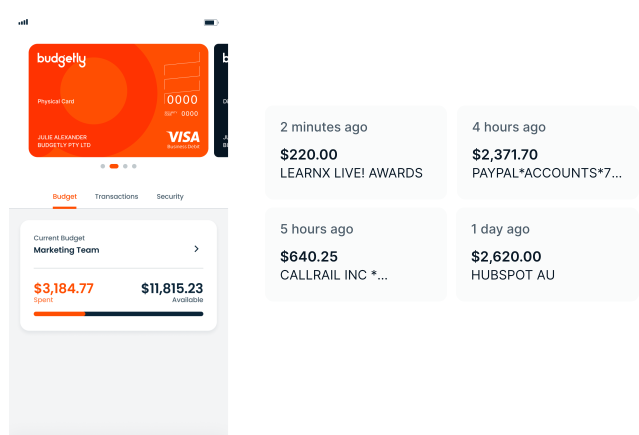
Bills captured, approved, and paid without manual data entry
Forward invoices to Budgetly. AI extracts the details, routes them for approval, and pays via BPay, PayID, or bank transfer. The transaction is coded and synced to Xero before your finance team touches it.
See bill payments ➜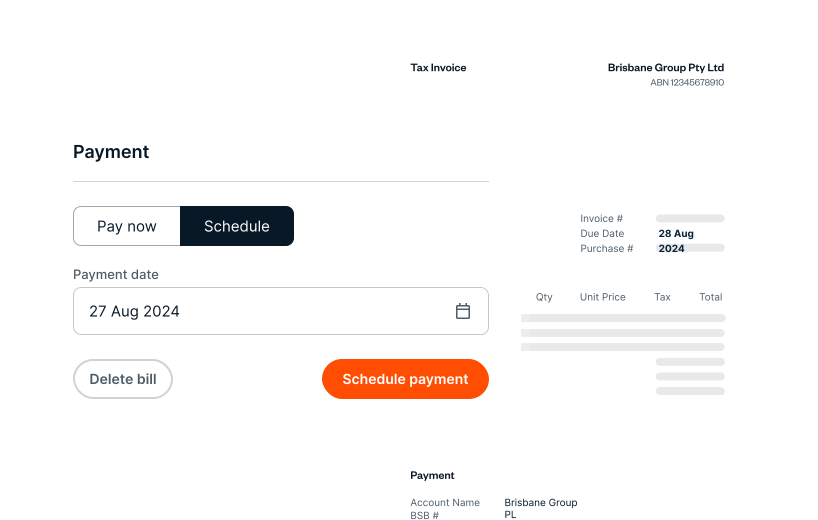
Trusted by teams across Australia
 Read verified reviews ➜
Awards and recognition







Most companies still manage spending the hard way.
Finance teams are expected to control spending, but the tools they use were never built for it. Staff share corporate cards, receipts arrive weeks late, reimbursements are manual, budgets live in spreadsheets, and bookkeepers reconstruct reality after transactions occur.
Modern companies manage spending before it happens.
Instead of reacting to expenses after the fact, finance teams now control spending at the moment it occurs. Budgetly enables this shift. Spending rules, budgets, cards, and expense capture operate inside a single platform, giving finance teams live visibility and control.
Frequently asked questions
What is expense management software?
Why should I use expense management software instead of spreadsheets?
What is the best expense management software for Australian businesses?
How does Budgetly eliminate reimbursements?
How does Budgetly handle receipt capture?
Does Budgetly integrate with Xero?
How much does Budgetly cost?
How quickly can we get started?
Customer Stories

Access Lifecare Eliminates Receipt-Chasing With Budgetly
Read how Budgetly has helped Access Lifecare eliminate chasing receipts and get better control of their expenses.

Aspire Education saves each centre 1 day a week in expense management
Aspire Education Saves Each Centre One Day a Week in Expense Management With Budgetly

Deadly Connections save an entire day per month with Budgetly
Deadly Connections saves an entire day per month with Budgetly. How automated expense tracking replaced time-consuming …

Sanctuary Family Solutions eliminated petty cash and manual admin with Budgetly
'With Budgetly, we now have saved time and solved a lot of the problems we had using petty cash!'
Replace the expense grind with real-time control
See how Budgetly eliminates reimbursements, receipt chasing, and manual reconciliation.
See how it works in 15 minutes ➜