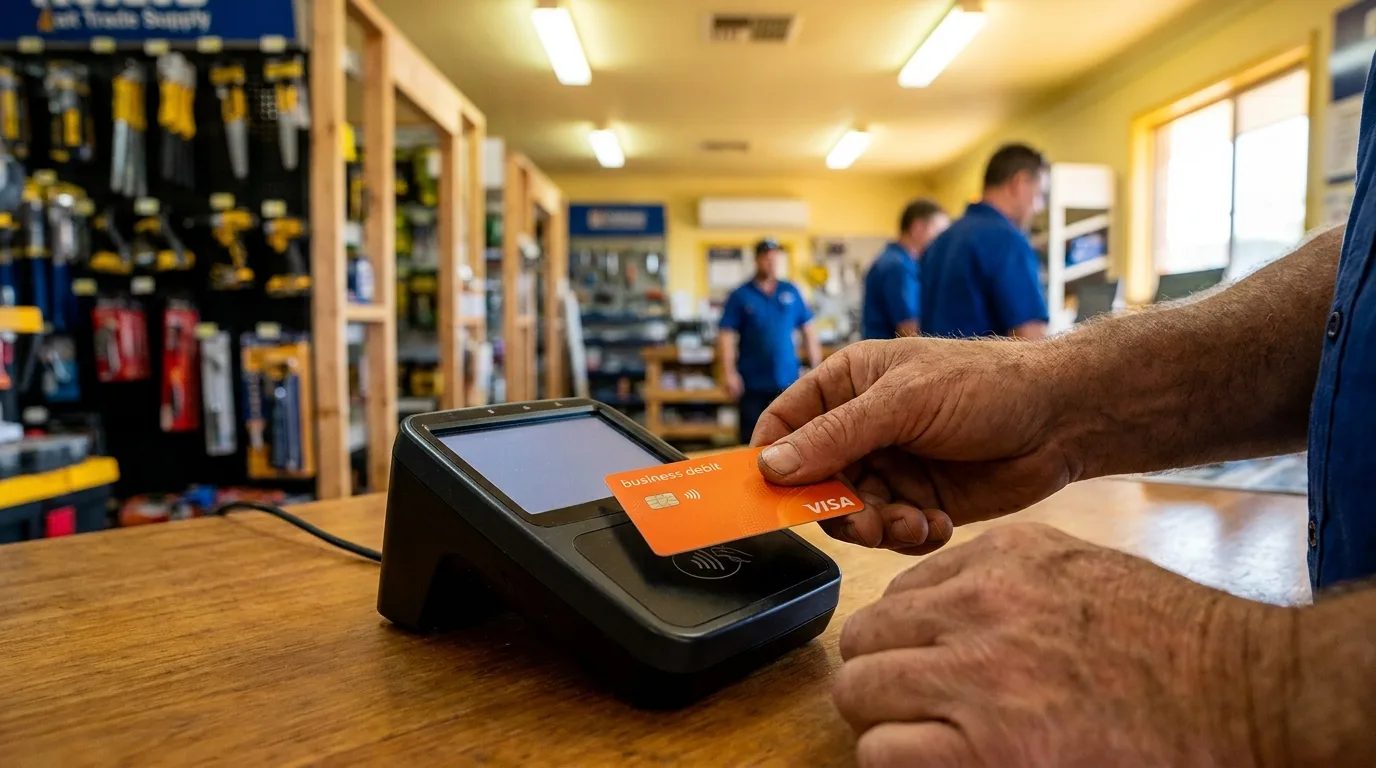

Receipt capture is the process of automatically photographing, scanning, or forwarding a receipt so software extracts the data — merchant, amount, GST, line items — without anyone typing it in. The best receipt capture software does this at the point of purchase, matches it to the card transaction automatically, and syncs it straight to Xero or MYOB. This guide compares the standalone apps against integrated platforms like Budgetly, and covers what actually matters when you’re choosing one for an Australian business.
Which expense management software automates receipt capture for mid-sized Australian businesses?
For Australian businesses with 20 to 200 employees, five platforms offer automated receipt capture — but they automate different parts of the process:
| Platform | What it automates | Best for |
|---|---|---|
| Budgetly | Capture at point of purchase, auto-match to card transaction, GST extraction, Xero/MYOB sync | Mid-sized teams (20-200) wanting zero manual reconciliation |
| Dext | OCR scanning, category suggestion, Xero/MYOB push | Bookkeepers processing receipts for multiple clients |
| Hubdoc | Document fetch from suppliers, OCR, Xero push | Xero-only businesses with email/supplier receipts |
| Expensify | SmartScan OCR, expense report automation | Teams still using reimbursement workflows |
| SAP Concur | Policy enforcement, approval routing, ERP sync | Enterprise (200+) with complex travel/expense policies |
The key difference is timing. Dext, Hubdoc, and Expensify automate the processing of receipts after staff manually capture them (days or weeks post-purchase). Budgetly automates capture itself — the card transaction triggers a receipt prompt at the register, and the system matches the image to the transaction without human reconciliation. For mid-sized Australian businesses where receipt compliance is the core problem (not expense reporting), the integrated approach eliminates the workflow rather than speeding up one step within it.
It’s the 28th. BAS is due in three days. You open your reconciliation spreadsheet and count 47 transactions from the past four weeks that still have no receipt attached. You already know what comes next: Slack messages, emails, desk drive-bys, and the inevitable “I’ll get to it” replies that never materialise.
This is the receipt management problem most Australian businesses live with. Not because they lack systems, but because their systems rely on the one thing nobody does voluntarily: remembering to photograph a piece of paper weeks after a purchase.
Receipt management software exists to solve this. But not all approaches are equal. Some just move the problem from a shoebox to a folder in the cloud. Others eliminate the workflow entirely.
The Receipt Problem Nobody Admits (Until BAS Time)
Missing receipts cost Australian businesses more than time. They cost real money.
Lost GST credits. Without a valid tax invoice, you cannot claim GST credits on business purchases. For any transaction above $82.50 (GST-inclusive), the ATO requires a tax invoice to substantiate the claim. Across dozens of employees making weekly purchases, unclaimed credits add up to thousands per quarter.
ATO audit exposure. The ATO can request substantiation for any business expense going back five years. No receipt means no deduction. Businesses that consistently fail to retain records attract scrutiny during reviews and audits.
Hours of finance time. Most finance teams spend 5 to 15 hours per month chasing receipts from staff. That’s time not spent on reporting, forecasting, or anything that actually moves the business forward. For a detailed breakdown of this hidden cost, see our guide on how to stop chasing receipts for good.
Strained relationships. Nobody enjoys being nagged. The receipt chasing cycle creates friction between finance teams and the rest of the business. Staff see it as bureaucratic overhead. Finance sees it as non-compliance. Both are right.
The underlying issue is timing. Traditional receipt management asks people to do something (scan, upload, categorise) days or weeks after the moment they had the receipt in hand. By then, the receipt is lost, faded, or forgotten entirely.
What Receipt Capture Software Actually Does
“Receipt capture” gets used loosely to mean everything from a photo in a folder to a fully automated matching engine. Here is what the technology actually involves at each layer.
Point-of-purchase capture vs after-the-fact scanning
Most receipt apps capture after the fact — you keep the paper, then scan it days or weeks later, if you remember to. Point-of-purchase capture happens at the moment of spend: the card is tapped, the app prompts for a photo (or the receipt arrives by email and is matched automatically), and it is done before the paper can get lost. The timing difference is the single biggest predictor of whether a receipt system actually achieves compliance.
OCR and AI data extraction
Optical character recognition reads the receipt image and pulls out merchant, date, amount, and GST. Older OCR engines struggle with faded thermal receipts or handwritten totals. Modern AI-powered engines handle these reliably, but accuracy varies between vendors — worth checking claims against Australian retail receipts specifically, not just US or UK test sets.
Automatic matching to card transactions
The harder problem is not reading the receipt — it is matching it to the right transaction, especially with dozens of small purchases a week. This is where standalone scanning apps hit their ceiling: they capture the receipt, but someone still has to manually reconcile it against the bank statement. Integrated platforms match on card number, amount, merchant name, and timestamp to auto-pair receipt to transaction without human intervention.
Syncing to Xero and MYOB
Once matched, the receipt and its coded transaction should sync automatically — attached as a file, GST split out, ready for BAS. If this step is manual (exporting a CSV, re-entering in Xero, attaching the image separately), the automation has stopped halfway. Look for direct API integration that pushes coded, receipt-attached transactions to your accounting platform in real time.
Receipt Capture Software Comparison — Australia 2026
The Australian market has several options for receipt capture software. Here’s how they compare on the criteria that actually matter for business use:
| Feature | Dext (Receipt Bank) | Hubdoc (Xero) | Expensify | Standalone OCR Apps | Budgetly |
|---|---|---|---|---|---|
| Capture method | Photo/email forward | Photo/email/fetch | Photo/SmartScan | Photo only | Automatic at purchase |
| Matching approach | Manual or rules-based | Manual matching | Manual or SmartScan | None | Auto-matched to transaction |
| Accounting sync | Xero, MYOB, QBO | Xero only | Xero, QBO, others | Export CSV | Direct Xero/MYOB push |
| Receipt timing | After purchase (days/weeks) | After purchase (days/weeks) | After purchase (hours/days) | After purchase | At point of transaction |
| Cost (approx.) | $33-$55+/month | Included with Xero | $7-$18/user/month | Free-$10/month | Included with platform |
| Key limitation | Requires staff compliance | Xero-only; manual matching | Expense reports still needed | No transaction matching | Requires Budgetly cards |
Each of these tools takes a different approach to the same problem. The fundamental difference is when the receipt enters the system relative to the transaction.
For a complete overview of what the ATO requires for receipt retention, read our complete guide to receipts for Australian SMEs.
Why Standalone Receipt Capture Apps Don’t Solve the Problem
Standalone receipt scanning apps like Dext, Hubdoc, and Expensify all share the same structural limitation: they rely on a human remembering to capture the receipt after the purchase happens.
Even when staff do scan their receipts, the workflow isn’t finished. Someone still needs to:
- Match the scanned receipt to the correct bank transaction
- Assign the right expense category and GL code
- Push the coded transaction to Xero or MYOB
- Chase the staff who didn’t scan anything at all
Receipt capture software that sits outside the payment flow adds a step to the process. It makes filing easier, but it doesn’t eliminate the gap between spending and documentation.
Integrated expense platforms take a fundamentally different approach. When the payment method and the receipt capture live in the same system, the receipt is collected at point of transaction and matched automatically. There’s no gap, no delay, and no reliance on human memory.
This is why businesses switching from standalone receipt apps to integrated platforms like Budgetly’s expense management software report dramatic time savings. The receipt workflow doesn’t get faster. It disappears.
5 Things to Look for in Receipt Capture Software for Business
If you’re evaluating digital receipt management options, these five capabilities separate tools that shift the problem from tools that eliminate it:
1. Automatic capture at point of purchase
The best receipt management software captures receipt data at the moment of purchase, not hours or days later. This means the system needs to be connected to the payment method itself. If your team is using corporate cards that are linked to the receipt system, capture happens without anyone needing to remember.
2. OCR with AI matching
Optical character recognition extracts data from receipt images. AI matching goes further by automatically pairing extracted receipt data with the corresponding transaction. Look for systems that match on merchant name, amount, date, and card details without manual intervention.
3. Real-time attachment to transactions
Receipts should attach to their transaction record instantly. If there’s a delay between capture and attachment, you end up with unmatched receipts in a queue that someone needs to manually reconcile. Real-time attachment means every transaction in your ledger has its supporting document from day one.
4. Direct Xero/MYOB push
Your receipt software should push coded, receipt-attached transactions directly into your accounting platform. Any system that requires an export step, a CSV upload, or manual re-entry in Xero is adding work rather than removing it.
5. ATO compliance (receipts retained 5 years)
The ATO requires businesses to retain records for five years from the date they were prepared, obtained, or the transaction completed (whichever is later). Your receipt management system should store original receipt images in a format that remains accessible and legible for at least five years without manual backup management.
Is Receipt Capture Software Worth It for a Small Business?
For most small businesses handling more than a handful of receipts a week, yes — the maths is straightforward. The break-even point is not about the software cost. It is about however many hours a month someone currently spends chasing, scanning, and manually reconciling receipts, multiplied by their hourly cost.
A finance team member at $45/hour spending 10 hours a month on receipt admin costs $450/month in labour alone — before counting the GST credits lost from undocumented transactions. Most receipt capture solutions cost less than half that. Add the lost GST credits (see the cost quantification section below) and the ROI case is not close for any business processing more than 20-30 receipts per week.
Below a handful of transactions a month (a sole trader or micro-business with 1-2 people making occasional purchases), a free standalone scanner may be enough. Above that volume, the manual reconciliation step — not the scanning step — is usually the bigger cost than the software itself. That is why integrated platforms that eliminate reconciliation entirely deliver 10x the savings of standalone scanning tools.
How Budgetly Customers Eliminated Receipt Chasing
The difference between “better receipt management” and “no receipt management workflow” shows up in real numbers from Australian businesses that made the switch. These are not businesses that found a better scanning app. They eliminated the need for scanning entirely by connecting receipt capture to the payment method itself. When the card transaction triggers the receipt prompt, compliance becomes a 5-second task at the register rather than a 10-minute chase three weeks later.
Bawinanga Aboriginal Corporation: 38 hours per week saved
Bawinanga operates across remote communities in the Northern Territory with over 200 employees. Before Budgetly, their finance team spent significant portions of every week reconciling transactions and chasing documentation from staff in the field. The geographic spread made receipt chasing especially painful: staff in remote locations could not easily return paper receipts, and internet access for uploading was inconsistent. After implementing Budgetly’s integrated card and receipt system, they recovered 38 hours per week of finance team capacity. Receipts now capture at point of purchase via the mobile app, regardless of the employee’s location.
Faith Christian School: 1 week per month saved
Faith Christian School’s finance team was losing a full week every month to expense administration. Yullim Kim, their finance administrator, highlighted “not having to chase staff for receipts” as a primary benefit. With receipts captured automatically at point of purchase and matched to transactions in real time, the month-end reconciliation that previously consumed a week now takes hours.
Strive Community Care: 40 hours per month saved
Strive Community Care, an NDIS provider managing distributed teams across multiple locations, was spending 40 hours every month on manual expense workflows. Receipt chasing was one of four manual processes that Budgetly replaced entirely. Their finance team now focuses on reporting and compliance rather than administrative follow-up. The distributed nature of NDIS services makes receipt compliance especially difficult without an automated system.
These aren’t productivity improvements from scanning receipts faster. They’re the result of removing the receipt-chasing workflow from the business entirely.
The Real Cost of Missing Receipts (Quantified)
Most businesses underestimate the financial impact of their receipt compliance gap because the costs are distributed and invisible until audit time. Here is what poor receipt management actually costs:
Direct financial loss
For every $1,000 purchase without a valid receipt, you lose the ability to claim $91 in GST credits. Across a team of 50 employees making 10+ purchases per week, even a 10% non-compliance rate adds up:
- 50 employees × 10 purchases/week × 10% missing = 50 missing receipts per week
- Average transaction value of $150 × 50 = $7,500 in undocumented spend per week
- GST credits lost: approximately $680 per week or $2,720 per month
Over a financial year, that is $32,640 in GST credits your business is entitled to claim but cannot substantiate. The ATO will not reject your BAS outright, but if reviewed, you must be able to produce tax invoices for every claim.
Labour cost of chasing
Finance teams typically spend 5 to 15 hours per month on receipt follow-up. At an average finance salary of $85,000 per year (approximately $45/hour including super), that represents $225 to $675 per month in labour spent on a task that produces zero business value. Over a year: $2,700 to $8,100.
Audit and compliance risk
The ATO’s random review program targets businesses with inconsistent record-keeping patterns. A review can consume 20 to 40 hours of management time and may result in amended assessments, penalties, and interest charges dating back up to five years. The cost of a single ATO review typically ranges from $5,000 to $25,000 in professional fees alone.
Total annual cost estimate for a 50-person business
| Cost category | Annual estimate |
|---|---|
| Lost GST credits | $32,640 |
| Finance team labour (receipt chasing) | $5,400 |
| ATO review risk (amortised) | $2,000 to $5,000 |
| Total | $40,040 to $43,040 |
This exceeds the annual cost of most receipt management solutions by a factor of 10 or more. The ROI case for eliminating receipt non-compliance is not close.
Choosing Between Standalone and Integrated Receipt Capture
The market splits into two categories. Understanding which one fits your business prevents wasted implementation effort.
Standalone receipt tools (Dext, Hubdoc, Expensify)
Choose standalone if:
- Your team already has corporate cards from a bank and you only need receipt capture
- You have fewer than 15 employees making purchases
- Your current process works except for the receipt capture step
- You do not want to change your payment method
Limitation: Standalone tools add a capture step to an existing workflow. They make filing easier but do not eliminate the gap between spending and documentation. Staff must still remember to use them.
Integrated receipt management (Budgetly)
Choose integrated if:
- You want to eliminate receipt chasing entirely, not just improve it
- You are willing to issue new corporate cards that connect to the receipt system
- You have 20+ employees making regular purchases
- You value automatic receipt-to-transaction matching over manual filing
- You want receipts to flow into Xero/MYOB with the transaction, pre-coded
Trade-off: Integrated systems require employees to use the platform’s issued cards. If your team has existing bank cards they prefer, implementation requires a card transition.
For most Australian SMEs with 20 to 200 employees, the integrated approach delivers 10x the labour savings of standalone tools because it eliminates the workflow rather than optimising one step within it. The card transition takes one day. The time savings compound every week from then on.
Is Receipt Capture Software Secure?
Security matters because receipt data contains merchant names, transaction amounts, employee spending patterns, and in some cases line-item detail that reveals business strategy (what you are buying, from whom, and how often). Here is what to look for:
Encryption in transit and at rest. Receipt images and extracted data should be encrypted using TLS in transit and AES-256 (or equivalent) at rest. This is table stakes — any vendor not doing both is not operating at a professional level.
Australian data residency. For businesses subject to Australian privacy law, NDIS acquittal requirements, or government procurement rules, receipt data should remain in Australian data centres. Budgetly stores all transaction and receipt data in AWS Sydney (ISO 27001, 27017, and 27018 certified infrastructure). Data never leaves the country.
Role-based access control. Not every employee should see every other employee’s receipts. Look for granular permissions: admins see everything, managers see their team, employees see only their own transactions and receipts. Flat “everyone can see everything” permission models create unnecessary privacy exposure.
No use of receipt data to train third-party AI models. Some receipt scanning tools feed uploaded receipt images to third-party OCR and AI providers. Ask explicitly whether your receipt data is used to train models. Budgetly’s AI coding engine is trained on Budgetly transaction data only — your receipt images are not shared with external training pipelines.
Immutable audit trail. Every receipt capture, correction, re-code, and sync should be logged with who, what, and when. This matters for ATO reviews (proving when a receipt was captured) and for internal controls (proving who approved what).
See Receipt Capture in Action
Want to see what point-of-purchase receipt capture actually looks like day-to-day?
See how it works in the Budgetly app → — one tap at the register, auto-matched to the card transaction, coded and synced before your team leaves the store.
Read the full picture of Budgetly’s AI bookkeeping automation → — receipt capture is one piece of the puzzle. The AI bookkeeping engine handles coding, GST extraction, and accounting sync automatically.
If your finance team is still chasing receipts at month-end, the problem is not staff compliance. It is the timing gap between when money is spent and when your system asks for documentation. Close that gap, and the receipt management problem solves itself. Start a 14-day free trial to see how automatic receipt capture works with your team’s real purchases.