Your site foremen spent $14,000 on materials last week. You found out yesterday, when the bank statement arrived. That gap between spending and knowing is where construction margins disappear.
Most construction CFOs piece together financial visibility from bank feeds, fuel card statements, supplier invoices, and whatever receipts the site team remembers to photograph. The result is a “dashboard” that’s really just a spreadsheet updated once a month, always two weeks behind reality. If your expense management process still relies on shared bank cards and manual reconciliation, the dashboard problem starts upstream.
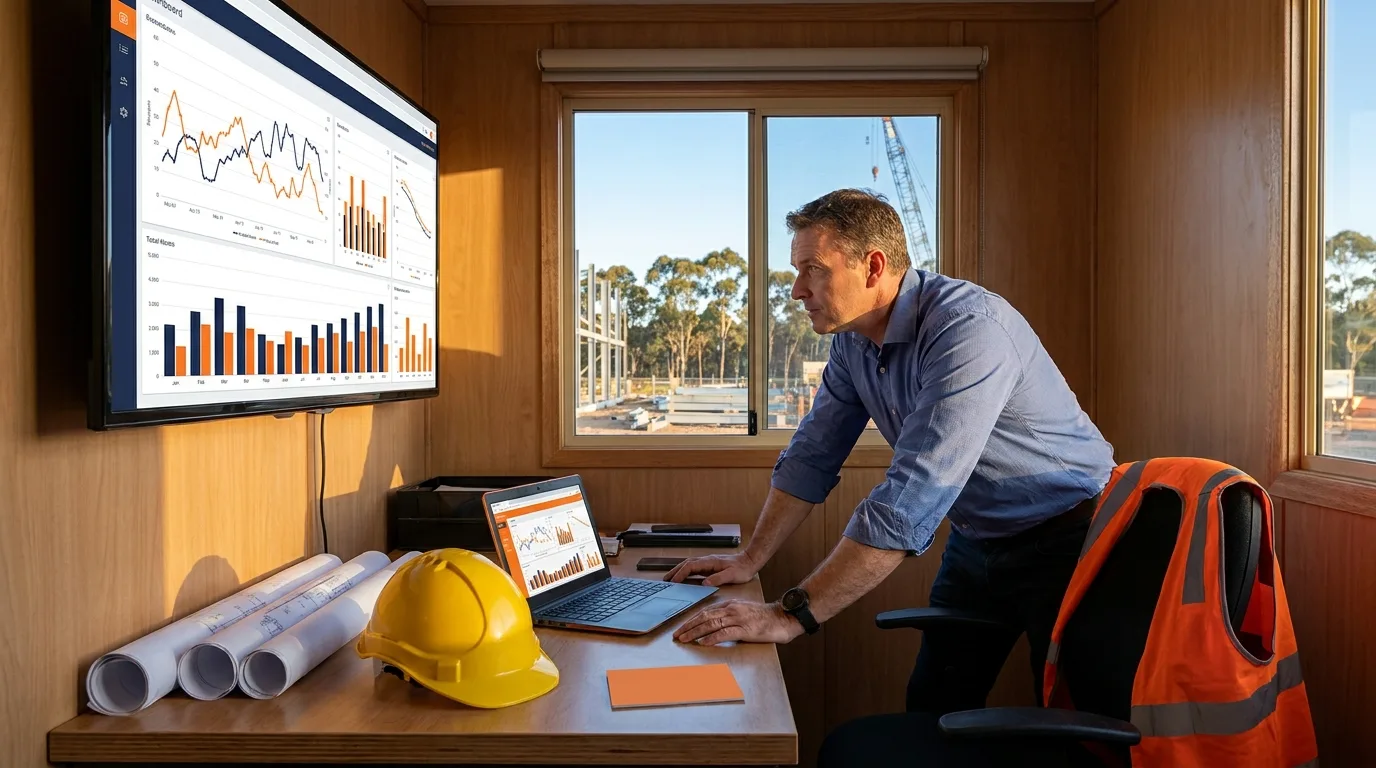
This article breaks down the eight financial metrics every construction CFO dashboard needs, what those metrics actually reveal when tracked in real time, and how to replace the monthly reconciliation scramble with live data from every job site.
Why construction CFOs fly blind until month-end
Construction finance has a structural visibility problem. Spending happens across multiple sites, multiple suppliers, and multiple people, often in locations with no office infrastructure. The finance team only sees the full picture when bank statements, fuel card reports, and supplier invoices converge at month-end.
That delay creates three compounding problems:
- Budget overruns surface too late. By the time you see that a project exceeded its materials budget, the money is already gone. There’s no corrective action, only a post-mortem.
- Receipt compliance gaps multiply. Every day between a purchase and a receipt upload increases the chance that receipt never arrives. The ATO requires records for purchases over $82.50 (including GST), and construction teams are notorious for losing paper receipts on site.
- Cash flow forecasting becomes guesswork. If you can’t see committed spend in real time, your cash flow projections are based on last month’s actuals, not this week’s reality.
The CFO Survey (March 2026, 106 Australian finance leaders) found that 49.1% say manual tasks consume 40% or more of their finance team’s time. In construction, where transactions are scattered across sites and suppliers, that number is likely higher.
The 8 financial metrics every construction CFO dashboard needs
Not every metric deserves a spot on your dashboard. The ones below are chosen because they change frequently, require action when they move, and are difficult to track without real-time data.
| Metric | What it tells you | Why it matters for construction |
|---|---|---|
| Spend by project/job site | Where money is going, broken down by active project | Prevents one project from quietly consuming another’s budget |
| Budget utilisation rate | Percentage of allocated budget spent to date | Flags projects approaching their limit before they breach it |
| Outstanding receipts | Transactions without attached receipts | Identifies compliance gaps before they become audit findings |
| Spend by category | Materials, fuel, subcontractors, equipment hire, consumables | Reveals which cost categories are trending above forecast |
| Cash position vs committed spend | Available funds minus approved but unspent budgets | Shows true available cash, not just the bank balance |
| Approval queue age | How long purchase requests sit waiting for sign-off | Highlights bottlenecks that delay site teams and push them toward workarounds |
| Card utilisation by cardholder | Which team members are actively using their cards vs reverting to cash or reimbursements | Spots adoption gaps that create shadow spending |
| Month-on-month variance | How this month’s spend compares to the same period last month | Catches seasonal patterns and anomalies early |
The first four metrics are operational. They tell you what’s happening right now. The last four are diagnostic. They tell you whether your financial controls are working.
What a real-time construction dashboard replaces
A dashboard is only as good as the data feeding it. If your data still flows through manual processes, the dashboard just displays stale information faster.
Here’s what changes when construction companies replace their existing processes with real-time spend tracking:
| Before | After |
|---|---|
| Shared bank cards across site teams, no attribution | Individual cards per person with pre-set budgets and spend controls |
| Receipts collected in envelopes, photographed at month-end (if at all) | Receipts captured at point of sale via mobile, auto-matched to transactions |
| Fuel card statements reconciled manually against driver logs | Fuel spend visible per driver, per vehicle, per project in real time |
| Supplier invoices emailed to accounts, manually entered into Xero | Bills captured automatically, routed through approval workflows, synced to Xero |
| Budget tracking via spreadsheet updated weekly by the finance team | Live budget utilisation visible to project managers and finance simultaneously |
Tim Huett, CFO at Earth Markets, described the shift:
“We’ve saved thirty hours a month across our four stores, and an additional twenty hours a month for head office in bookkeeping time.”
Tim Huett, CFO, Earth Markets
That’s 50 hours a month returned to the finance team. For a construction business running five or six active projects, the time savings compound across every site.
How construction companies track site spend in real time
The mechanics matter. A dashboard that pulls from a single source of truth is fundamentally different from one that aggregates data from five disconnected systems.
Construction companies using Budgetly replace the fragmented approach with a single spend management system that covers cards, bills, budgets, and receipts. Every transaction flows through one platform, which means the dashboard reflects reality, not a delayed approximation.
Here’s how it works in practice:
Individual cards for every site team member. Instead of sharing one bank card across a crew, each person gets their own Visa debit card with pre-approved spending limits. The finance team knows exactly who spent what, where, and when. Site Sentry Australia consolidated three separate admin processes into one by making this switch.
Pre-transaction controls, not post-transaction reviews. Budgets are enforced before money leaves, not reviewed after. If a site foreman’s materials budget is $5,000 for the month, the card declines at $5,001. No surprises, no awkward conversations. This is the core of real-time spend management for construction.
Receipts captured at the point of purchase. The mobile app prompts cardholders to photograph receipts immediately after a transaction. Buddy AI extracts the details, matches them to the transaction, and flags any GST discrepancies. Easy Insulation saves up to six hours a week by eliminating the end-of-month receipt chase.
Automatic sync to Xero. Transactions are categorised and synced to your accounting software in real time. No manual journal entries, no CSV imports, no reconciliation spreadsheets. Hunt & Dixon Surveys saved six hours a week after replacing their bank card and spreadsheet process. Buddy AI handles the categorisation and receipt matching automatically, so your finance team reviews exceptions rather than processing every transaction.
What construction CFOs get wrong about dashboards
Three common mistakes turn a useful dashboard into an expensive distraction.
Tracking too many metrics. A dashboard with 30 KPIs is a report, not a decision tool. Limit your primary view to 6-8 metrics that require action. Everything else belongs in a drill-down or monthly report.
Building the dashboard before fixing the data. If your spend data still flows through shared bank cards, manual spreadsheets, and emailed invoices, no dashboard will give you accurate real-time visibility. Fix the data pipeline first. Replace the manual processes that create gaps and delays, then build the dashboard on clean, live data.
Treating the dashboard as a finance-only tool. The most effective construction dashboards give project managers visibility into their own budgets. When a site manager can see they’ve used 78% of their materials budget with three weeks remaining, they adjust their purchasing behaviour without the finance team intervening. That’s real-time control without micromanagement.
The CFO Survey found that 86.8% of Australian finance leaders say manual tasks consume 20% or more of their team’s time. For construction CFOs, the path to a useful dashboard starts with eliminating the manual work that corrupts the data feeding it.