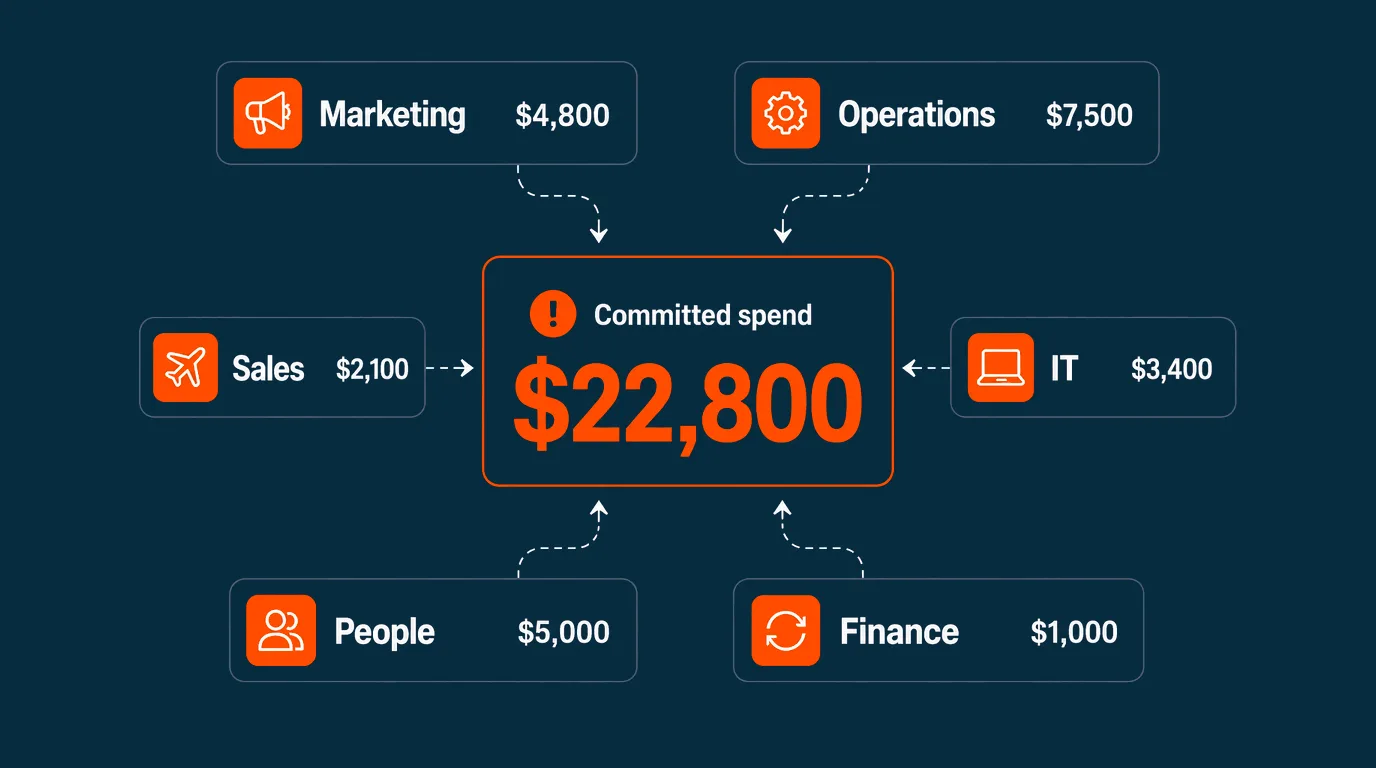

73% of Australian SMEs now run their books on cloud accounting software. Xero, MYOB, Reckon, the migration off desktop is essentially complete. So why do finance teams still spend three days closing the books, chasing 47 people for receipts, and reconstructing reality from fragments?
Because cloud accounting tells you what happened. It can’t stop overspend before it happens. That gap is costing Australian businesses hours every week and creating month-end surprises that should never have been possible.
This guide walks through what cloud accounting does well, where it stops, and what closes the gap between recording spend and controlling it.
What cloud accounting does, and where it stops
Cloud accounting software runs on the internet rather than a desktop. Xero, MYOB, Reckon, and QuickBooks Online each handle the same core jobs:
- Invoicing and accounts receivable
- Bank feeds and transaction coding
- BAS, GST, and ATO reporting
- Profit and loss reports, balance sheets, cash flow statements
- Single Touch Payroll (STP) reporting
- Multi-user collaboration with your accountant or bookkeeper
For a sole trader or a freelancer, this is enough. For a business with 20 to 200 employees, several teams, and shared cards across departments, cloud accounting is half the picture.
The half it gets right: historical reporting. Once a transaction has happened, cloud accounting categorises it, codes it against the right account, and shows it in next month’s report.
The half it doesn’t cover: real-time spend control. Cloud accounting doesn’t stop a manager from putting $4,000 of unbudgeted parts on the shared card. It doesn’t capture the receipt at the point of purchase. It doesn’t tell you whether the team is going to blow next month’s budget. It only tells you that they blew last month’s.
The gap, in concrete terms
Walk into any Australian SME with cloud accounting and you’ll see the same workflow gaps:
Reimbursements. Staff pay for things on personal cards and wait six weeks to be reimbursed. The transactions don’t reach Xero until someone fills out a form, attaches a receipt, and gets approval.
Shared cards. One or two corporate cards float around the team. Nobody knows who spent what until the statement arrives. The bookkeeper plays detective for two days every month-end.
Receipt chasing. Bank feeds import the transaction, but the receipt is on someone’s phone, in their car, or already lost. The finance team chases by email, by Slack, by walking desk to desk.
Statement-driven discovery. A department blew the budget by $8,000. Nobody noticed until the statement landed two weeks later. By then, the money is gone and the conversation is post-mortem, not preventive.
Manual coding and matching. Even with smart bank rules, transactions land uncoded for unfamiliar suppliers. The bookkeeper recodes them manually. Receipts get matched manually. GST gets verified manually. Multiply by 200 transactions a month, then 12 months a year.
These aren’t cloud accounting failures. Cloud accounting was never designed to prevent overspend or capture data at the point of purchase. It was designed to record, report, and reconcile. Asking it to control spend in real time is asking the wrong tool.
What closes the gap
Spend management is the layer that sits in front of cloud accounting and handles everything cloud accounting can’t:
- Pre-transaction controls. Budgets and rules that prevent overspend before money leaves the business, not after.
- Individual cards with limits. Every employee who needs to spend gets their own card with a budget. No more shared cards, no more reimbursements, no more “who bought this?” at month-end.
- Receipt capture at the point of purchase. A photo on the phone, attached to the transaction, before the receipt has time to get lost.
- Real-time visibility. Finance sees every transaction the moment it happens, not when the statement arrives.
- Clean data into cloud accounting. Coded, categorised, receipt-matched transactions sync automatically. Reconciliation becomes a review, not a reconstruction.
Cloud accounting still does what it does best: reporting, BAS, payroll, and statutory compliance. Spend management handles everything that needs to happen before the transaction reaches the books.
Why this matters more in 2026
Three things have shifted in the Australian SME finance stack:
The RBA surcharge ban. Once enforced, surcharge fees on credit cards will be banned. Businesses still using credit cards for day-to-day operational spend will absorb the cost themselves rather than passing it to suppliers. Visa debit alternatives become structurally cheaper.
AI is now table stakes. 74.5% of Australian finance leaders surveyed in March 2026 said they’re interested in AI automation, but only 25.5% are using AI-enabled tools. The gap between intent and adoption is the biggest opportunity in the finance stack.
Manual work is the headline complaint. 86.8% of finance leaders say manual tasks consume 20%+ of finance team time. Cloud accounting reduced some of that. The rest sits in the spend workflow: reimbursements, receipt chasing, shared card reconciliation. Cloud accounting can’t touch any of it.
If you’ve already migrated to cloud accounting and you’re still losing finance team hours to manual work, the missing layer is spend management.
What spend management looks like alongside cloud accounting
Budgetly is one example of how the layer works. The model is the same regardless of which tool you use:
Cards, bills, and budgets in one system. Visa debit cards for individual employees, bill payments for vendor invoices, budgets and rules that span both. No personal cards, no shared cards, no reimbursement queue.
Real-time spend control. Pre-transaction rules prevent overspend before it happens. Real-time dashboards show exactly where money is going as it’s spent. Finance stops being the gatekeeper and becomes the enabler.
AI-driven receipt capture and coding. Receipts are captured on the phone at the point of purchase. The system extracts GST, matches the receipt to the transaction, and codes it against the right account.
Clean sync into Xero or MYOB. Coded, categorised, receipt-matched transactions land in your cloud accounting platform automatically. The bookkeeper reviews exceptions. Month-end reconciliation that took three days takes hours.
Compliance and audit trail. Every transaction has a receipt. Every approval has a record. Every budget has an owner. BAS prep moves from reconstruction to review.
What this changes in practice
The customers who replace shared cards and reimbursements with proper spend management report consistent outcomes:
- Bawinanga Aboriginal Corporation saved 38 hours per week on reimbursement and reconciliation work
- Connecting Families saved over $21,000 by switching from their previous expense process
- Earth Markets saves 30 hours per month across multiple stores
- Customers report up to 80% reduction in manual processing time and 75% faster month-end reconciliation
These outcomes aren’t from upgrading cloud accounting. They’re from adding the spend management layer that cloud accounting was never designed to provide.
Choosing the right cloud accounting platform
If you’re still selecting cloud accounting software, the standard Australian options remain the right shortlist. The differences come down to ecosystem and pricing, not core capability.
| Platform | Best for | Notes |
|---|---|---|
| Xero | Most Australian SMEs | Strongest local ecosystem and app marketplace. The default choice for businesses working with bookkeepers and accountants. |
| MYOB | Payroll-heavy or inventory businesses | AccountRight if you want a hybrid local-cloud setup. |
| Reckon | Small businesses with simple requirements | Competitive pricing, solid core features. |
| QuickBooks Online | Cross-market operations | Global product, good if you also operate outside Australia. |
All four handle the core cloud accounting job: recording, reporting, BAS, GST, and payroll. Pick whichever your accountant or bookkeeper is fastest in. Then add the spend management layer that closes the gap.
Frequently asked questions
Is cloud accounting alone enough for an Australian SME with 20 to 200 employees?
What's the difference between cloud accounting and spend management?
Do I need spend management if I use Xero or MYOB?
Will spend management replace my cloud accounting software?
How long does it take to add spend management to an existing cloud accounting setup?
What about security?
Cloud accounting is the foundation. Spend management is what’s missing.
If you’ve already moved to Xero, MYOB, Reckon, or QuickBooks Online, the migration to the cloud is done. The next step isn’t a different cloud accounting platform. It’s the layer that handles everything cloud accounting can’t.
Spend management replaces reimbursements, shared cards, and receipt chasing with individual cards, real-time budgets, and clean data flowing into the books automatically. The hours your finance team is still losing to manual work live in that gap. Closing it is what turns cloud accounting from “we record everything” into “we control everything in real time.”
To see how the layer works alongside Xero or MYOB in practice, watch a 15-minute walkthrough or compare options in our 5 best expense management software for Australian SMEs guide.