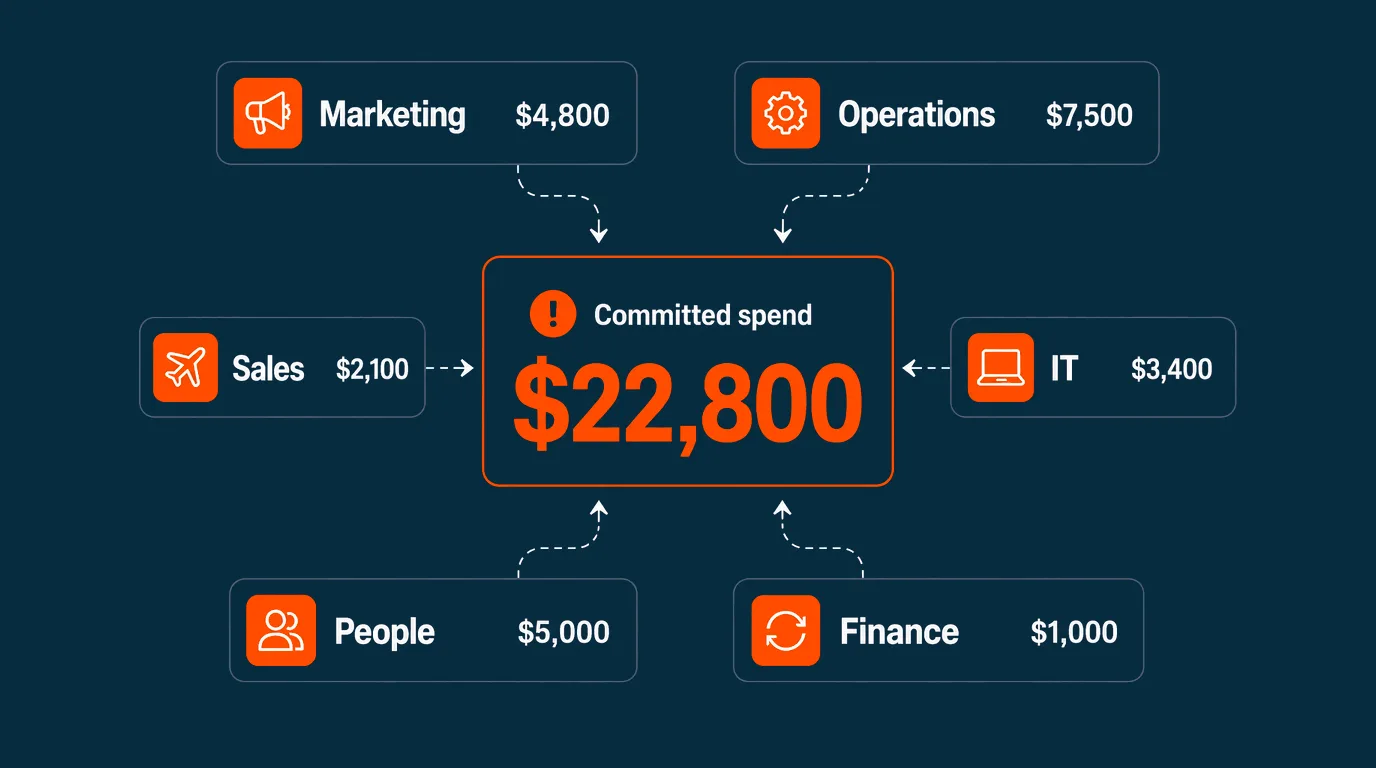


You’re processing 200 supplier invoices a month. Your bookkeeper spends two days at month-end chasing supplier statements. Three approval emails are stuck in someone’s inbox. The CFO asks “what do we owe this week?” and the answer is “let me check by Friday.”
This is the AP function that accounts payable software is supposed to fix. Some tools deliver. Most don’t, because most accounts payable software is digitised paper rather than genuine workflow replacement.
This buyer’s guide is for Australian SMEs with 20 to 200 employees evaluating accounts payable software in 2026. It walks through what real automation looks like, the four vendor categories on the market, the criteria that matter for Australian SMEs, and what separates the tools that work from the tools that just digitise the chaos.
Who this guide is for
This guide is written for finance managers, CFOs, and business owners actively evaluating accounts payable software. If your current AP process involves any of these, this guide will help you decide:
- Manual data entry of invoices into Xero or MYOB
- Approval workflows running through email or paper
- Statement chasing at month-end to find missed invoices
- Bank file uploads done manually each week
- No real-time visibility into outstanding payables
If you’re trying to understand what AP automation does at a fundamentals level, the AP automation explainer is a better starting point. If you’re weighing automation against outsourcing, AP outsourcing vs automation covers that decision.
What real AP automation replaces
The right AP software replaces five workflows. If a tool you’re evaluating doesn’t replace all five, it’s digitising paper rather than automating.
| Workflow being replaced | What automation does instead |
|---|---|
| Manual data entry into accounting software | AI extracts invoice data with 95%+ accuracy |
| Email approval chains | Rule-based routing on mobile or desktop |
| Statement reconciliation at month-end | Continuous matching against your AP ledger |
| Manual bank file uploads | Auto-scheduled payments via NPP, BPAY, virtual card |
| Spreadsheet-based payable tracking | Real-time dashboard with full audit trail |
The cost difference at the per-invoice level is the headline benefit. Manual processing typically runs $15-25 per invoice in Australia when staff time is included. Automated processing runs $3-8. For a business at 200 invoices a month, that’s $30,000-40,000 a year. The bigger benefit is the reclaimed finance team time.
The four categories of accounts payable software
The Australian market splits into four broad categories. Knowing which one you’re evaluating saves a lot of demos.
1. Accounting software with bolt-on AP features
Examples: Xero Bills, MYOB AccountRight, Reckon
Cloud accounting platforms include basic AP features as part of their core product. You can record bills, schedule payments, and run BAS reports, all within the accounting software you already use.
What it does well:
- Native integration with the accounting software (no third-party sync)
- BAS, GST, and Australian compliance built in
- No additional subscription cost for businesses already on the platform
- Strong for sole traders and very small businesses
Where it stops:
- Manual data entry from PDFs is still the default
- Approval workflows are basic (linear, not multi-path)
- No automated invoice capture from email or supplier portals
- No AI-driven coding or anomaly detection
- Multi-step approvals require workarounds
Best for: Sole traders and businesses with 1-10 employees and 5-50 invoices a month. Past that volume, the manual entry overhead grows faster than the savings.
2. Spend management platforms with AP automation
Examples: Budgetly, Airwallex (Grow plan and above), Volopay
Spend management platforms combine AP automation with corporate cards, expense management, and budget controls in a single system. Bills get captured, approved, and paid through the same platform that handles employee card spending.
What it does well:
- Real automation: AI extraction, rule-based routing, auto-scheduled payments
- Cards plus AP in one platform reduces total invoices by 40-60%
- Real-time visibility across cards, bills, and budgets
- Deep Xero or MYOB sync (coded, categorised, receipt-attached)
- Built for Australian SMEs with local compliance and support
Where it stops:
- More expensive than accounting software bolt-ons
- Some require dedicated implementation time (1-4 weeks)
- Rarely the right fit for businesses under 20 employees
Best for: Australian SMEs with 20-200 employees and 50+ invoices a month, especially those wanting to eliminate reimbursements and shared cards alongside automating AP.
3. Standalone AP automation tools
Examples: Bill.com, Stampli, Ramp Bill Pay (US-focused)
Standalone AP tools focus exclusively on the bill-to-payment workflow. They tend to have the deepest AP feature sets but don’t handle expenses, cards, or broader spend management.
What it does well:
- Deep AP-specific features (3-way matching, advanced approval routing, supplier portals)
- Strong for businesses with high invoice volumes (1,000+/month)
- Good audit and compliance capabilities
Where it stops:
- Most are built primarily for the US market and treat Australian compliance as an add-on
- GST handling, ABN validation, and BPAY support are often workarounds
- No card or expense management means you still need separate tools for those workflows
- Pricing typically per-invoice or per-user, scales aggressively
Best for: Australian businesses with very high invoice volumes (1,000+/month) and dedicated AP teams, where the depth of AP-specific features outweighs the local compliance friction.
4. Enterprise expense and AP suites
Examples: SAP Concur, Coupa, Oracle ERP
Enterprise platforms handle AP, expense, travel, procurement, and ERP workflows for large organisations across multiple countries.
What it does well:
- Multi-entity, multi-currency, multi-country support
- Advanced procurement and purchase order workflows
- Integration with enterprise ERPs
Where it stops:
- Implementation typically 3-6 months and tens of thousands of dollars
- Custom pricing only, designed for 500+ employee budgets
- Australian SME-specific features (GST, Xero integration) are limited
- Over-engineered for SMEs
Best for: Australian organisations with 500+ employees, multi-country operations, or complex procurement needs that small platforms don’t support.
What to evaluate
Five evaluation areas matter for Australian SMEs. The priority varies by business but the questions don’t.
1. Australian compliance and integrations
| Capability | Why it matters |
|---|---|
| ABN validation | Prevents fraud, ensures correct GST treatment |
| GST code mapping | Australian rules are specific. Generic tax fields create reconciliation pain |
| Xero or MYOB integration | Real-time, two-way sync (not just CSV export) |
| BPAY support | Still the most common rail for Australian utility and supplier payments |
| NPP and PayTo | Faster settlement than legacy direct entry |
| Peppol eInvoicing | Government and large enterprise suppliers increasingly require it |
| ATO retention rules | 5 years of searchable records, full approval history |
International tools often treat these as workarounds. Locally built tools have them by default.
2. Approval workflow flexibility
The basic question: can your approval rules match how the business actually works?
- Single-threshold auto-approval (everything over $X needs sign-off)
- Multi-step routing (manager → finance → CFO based on amount)
- Multi-path routing (different paths for different cost centres or projects)
- Mobile approvals (the manager approves on their phone, not their desktop)
- Substitute approvers (when the named approver is on leave)
Tools vary widely. Some have sophisticated routing built in. Others require workarounds for anything beyond a single threshold.
3. Real touchless processing rate
The headline AP automation metric is the touchless processing rate: the percentage of invoices that flow from receipt to payment without human data entry. The realistic target for an Australian SME with clean supplier data is 70-85%. Anything below 50% means the tool isn’t really automating, or your supplier master file needs cleanup before the tool can perform.
Ask vendors during demos: “What touchless rate do customers like ours achieve, and how long does it take to get there?” If the answer is vague, that’s a signal.
4. Cards plus AP, or AP alone
This is the strategic question that often gets missed. AP automation handles vendor invoices that need approval workflows. It doesn’t help with employee spending (fuel, materials, travel, subscriptions) that today gets reimbursed or charged to a shared card.
Pre-approved Visa debit cards for employees handle that separately. Combining the two reduces total invoices entering AP by 40-60%, because employee spending stops generating reimbursement claims and supplier invoices.
If your problem is just vendor bills, a standalone AP tool is fine. If your problem is the broader chaos of reimbursements, shared cards, and bill processing all running on different rails, a spend management platform that combines cards and AP is the better fit.
5. Pricing structure and scaling
| Pricing model | When it works | When it hurts |
|---|---|---|
| Per invoice | Low, predictable volumes | Costs scale linearly with growth |
| Per user | Small finance teams | Punishes broader access (approvers, reviewers) |
| Subscription tier | Most SMEs | Needs to match your stage (don’t pay for enterprise features) |
| Custom enterprise | Multi-entity, complex needs | Sales cycles take months, total cost is opaque |
Subscription pricing with unlimited or generous user limits typically scales best for Australian SMEs. Per-invoice pricing looks attractive at small volumes but creates a “growth penalty” as the business expands.
Implementation: what actually takes time
The software is rarely the bottleneck during AP automation rollouts. The bottlenecks are typically:
Supplier master file cleanup. Most SMEs have 5-15% of supplier records with missing or incorrect ABNs, outdated bank details, or duplicate entries. AI extraction works best with clean data. Budget two to three weeks for this before going live.
Approval rule design. The current “rules” are usually undocumented and inconsistent. Implementation forces an explicit conversation about who approves what and at which thresholds. Most teams underestimate this.
Change management. Approvers need to learn the new mobile workflow. Suppliers need to be told where to send invoices. The bookkeeper’s daily routine changes. Two weeks of clear communication before go-live prevents weeks of frustration after.
A realistic timeline for an Australian SME with one accounting platform:
| Phase | Duration | What happens |
|---|---|---|
| Master data cleanup | 2-3 weeks | Supplier ABNs, bank details, deduplication |
| Software configuration | 1-2 weeks | Approval rules, integrations, user access |
| Parallel running | 2 weeks | Manual and automated workflows in parallel for validation |
| Full cutover | 1 week | Switch off the manual workflow |
| Optimisation | Ongoing | Tune coding rules, expand to more invoice types |
Six to eight weeks end-to-end is realistic. Vendors that promise three-day implementations are usually skipping the master data cleanup, which means the touchless rate stays low and the time savings don’t materialise.
What outcomes to expect
Australian SMEs that move from manual to automated AP report consistent results within the first three months:
- 60-70% reduction in cost per invoice
- 50-80% reduction in cycle time (receipt to payment)
- 80%+ reduction in manual data entry time
- 95%+ data extraction accuracy
- 70-85% touchless processing rate
- Full ATO-aligned audit trail by default
Customer outcomes from the Budgetly customer base illustrate the typical scale of recovery:
| Customer | Industry | Outcome |
|---|---|---|
| Bawinanga Aboriginal Corporation | Nonprofits | 38 hours/week saved |
| Earth Markets | Retail | 30 hours/month saved across head office and stores |
| Connecting Families | NDIS | $21,000+ saved |
The savings come from removing the manual workflow, not from a feature checklist.
How Budgetly fits
Budgetly is a spend management platform built for Australian SMEs with 20 to 200 employees. AP automation is one part of a broader spend stack that combines pre-approved Visa debit cards for employees, bill payments with multi-step approval workflows, AI Bookkeeping for transaction coding, and real-time Xero integration rated 4.9/5 on the Xero App Store.
Where it fits in the four categories: Spend management platform with integrated AP automation. Cards plus AP plus expense management in one system.
Strengths:
- Purpose-built for Australian SMEs with native ABN validation, GST coding, and BPAY support
- Cards plus AP in one platform reduces total invoices reaching AP by 40-60%
- AI Bookkeeping learns from coding corrections and improves over time
- Unlimited users on all plans (no per-user fee penalty as the team grows)
- Australian-based unlimited support
- 4.9/5 rating across 132 verified Capterra reviews, 99% customer retention
Where it stops:
- Not designed for businesses under 20 employees (the cards plus AP model needs scale to pay off)
- Not designed for multi-country, multi-currency enterprise procurement (SAP Concur or Coupa territory)
- No purchase order workflow yet (in beta as of May 2026)
Pricing: Starts at $99/month for the Essentials plan with unlimited users. See all plans.
For a side-by-side view alongside the rest of the Australian SME market, the 5 best expense management software for Australian SMEs guide compares Budgetly with Airwallex, MYOB, Concur, and Zoho on workflow replacement, pricing, and Australian compliance.
Common mistakes to avoid
Choosing on price alone. The lowest per-invoice cost rarely delivers the best outcome. A tool that achieves 50% touchless processing at $2 per invoice costs more in finance team time than a tool at 80% touchless at $4 per invoice.
Treating AP and expense management as separate problems. Reimbursements, shared cards, and bill processing are the same workflow problem (manual spend handling) showing up in different places. Solving them together with a spend management platform usually beats solving them in isolation.
Skipping the supplier master file cleanup. AI extraction needs clean data. If 15% of your suppliers have missing ABNs or wrong bank details, the touchless rate will be poor regardless of which tool you choose.
Underestimating change management. The software vendor handles the technology. Internal change management (approvers, suppliers, processes) is on you. Plan for two weeks of clear communication before go-live.
Ignoring local compliance. Tools built primarily for the US or UK markets handle Australian GST, BAS, and BPAY as workarounds. The reconciliation tax is real and recurring.
Next steps
The right next step depends on where you are in evaluation:
- Early in evaluation and want to understand AP automation fundamentals → AP automation explainer
- Considering outsourcing instead → AP outsourcing vs AP automation
- Comparing options across the broader market → 5 best expense management software for Australian SMEs
- Ready to see Budgetly’s AP automation in practice → bill payments product page or book a walkthrough